

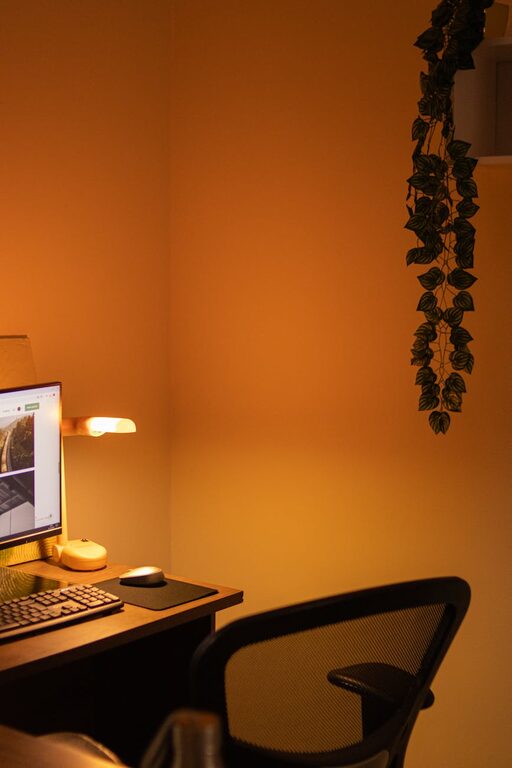
Creating a cozy and inviting home workspace is essential for maintaining focus and motivation, especially when you spend many hours working from home. A thoughtfully designed area can transform your daily routine, making work feel less like a chore and more like an enjoyable part of your day. In this post, we’ll explore practical tips to help you set up a workspace that’s both comfortable and productive.
Choose the Right Location
Selecting the best spot for your workspace is the first step. Ideally, pick a quiet area with minimal distractions. A corner of a room or a small nook can be perfect, as long as it offers enough space for your desk and essentials.
Consider Natural Light
Natural light is a key ingredient to a cozy workspace. Position your desk near a window if possible. Sunlight not only brightens your area but also helps improve mood and energy levels throughout the day. If natural light is limited, invest in a good quality desk lamp with adjustable brightness.
Invest in Comfortable Furniture
Comfort matters when you’re spending long periods working at your desk. Choosing ergonomic furniture can protect your posture and reduce strain.
– Chair: Opt for an adjustable chair with good back support.
– Desk: Pick a desk height that is comfortable for typing and writing.
– Footrest: Use a footrest if your feet don’t comfortably reach the floor.
Personalize Your Space
Adding personal touches makes your workspace feel inviting and uniquely yours.
– Decor: Hang inspiring art or photos that bring you joy.
– Plants: Incorporate some green plants to add life and improve air quality.
– Accessories: Use organizers, colorful pens, or desk pads that reflect your style.
Keep It Organized
Clutter can be distracting, so maintaining an organized space helps keep your mind clear.
– Use trays, drawers, or shelves to store supplies.
– Keep only daily essentials on your desk.
– Regularly tidy your area to create a fresh start each day.
Use Soothing Colors and Textures
Color and texture can influence your moods and comfort level.
– Choose calming colors like soft blues, greens, or neutrals for walls and accessories.
– Add cozy textures with a comfortable throw blanket or a cushioned chair pad.
– A small rug can add warmth and define the workspace area.
Manage Noise Levels
Noise can affect concentration and comfort.
– Use noise-cancelling headphones or white noise machines if you live in a busy environment.
– Soft textiles, like curtains and cushions, help absorb sound.
Incorporate Technology Thoughtfully
Technology plays a big role in home offices, but it’s important to arrange it well.
– Position screens to avoid glare and eye strain.
– Use cable organizers to keep wires tidy.
– Consider adding a second monitor for extra workspace if needed.
Set Boundaries for Work and Relaxation
To maintain a healthy balance, differentiate your workspace from relaxation areas.
– Reserve your workspace only for work-related activities.
– When the day ends, physically step away from your workspace if possible.
– Use a room divider or curtain if your work area shares space with living areas.
Include Elements for Breaks and Comfort
Breaks are essential; having small comforts nearby can make them more enjoyable.
– Keep a water bottle or tea mug handy.
– Place a small basket with snacks or essential oils nearby.
– Use a timer or app to remind yourself to take short breaks and stretch.
—
Creating a cozy and inviting workspace at home is about balancing functionality with personal comfort. With these tips, you can design a space that not only enhances your productivity but also makes you look forward to your workday. Start small, experiment with arrangements, and add elements that reflect your personality and work habits. Your ideal home workspace is within reach!