

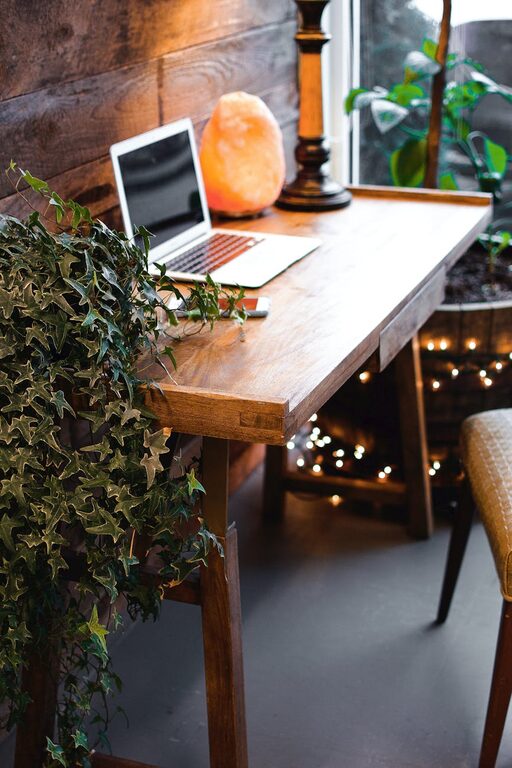
Creating a home workspace that is both cozy and functional can significantly improve your productivity and overall well-being. Whether you work remotely full-time or need a dedicated area for occasional tasks, crafting a space that feels inviting while supporting your workflow is essential. This post will guide you through practical steps to design a home office that balances comfort and efficiency.
Choose the Right Location
Selecting the right spot in your home is the first step to a successful workspace.
Consider Natural Light
Try to find an area with plenty of natural daylight. Sunlight can boost your mood and energy levels while reducing eye strain.
Minimize Distractions
Pick a quiet corner away from high-traffic zones like the kitchen or living room. This will help maintain focus and reduce interruptions.
Accessibility
Make sure your workspace is easy to access and has enough room for your equipment and supplies without clutter.
Invest in Comfortable and Ergonomic Furniture
Spending time at a desk means comfort and good posture should be priorities.
– Ergonomic Chair: Choose a chair that supports your lower back, offers adjustable height, and encourages good posture.
– Desk Height: Your desk should allow your elbows to be at a 90-degree angle when typing.
– Standing Options: Consider a sit-stand desk to alternate between sitting and standing throughout the day.
Organize with Purpose
A cluttered workspace can slow you down and cause stress. Organize your essentials with thoughtful storage solutions:
– Use shelves or cabinets to keep papers and books off your desk.
– Employ drawer organizers for stationery and small items.
– Keep only daily essentials within reach to minimize distractions.
Personalize Your Space
Making your workspace pleasant and uniquely yours can increase comfort and motivation.
– Add plants to bring life and clean air into the room.
– Use colors that make you feel calm or energized, like soft blues or warm yellows.
– Display inspirational artwork or personal photos to create a positive atmosphere.
Manage Lighting Effectively
Good lighting reduces eye strain and helps maintain alertness.
– Complement natural light with a desk lamp that provides focused, adjustable lighting.
– Avoid glare by positioning screens perpendicular to windows.
– Use warm light bulbs to create a cozy ambiance during evening work sessions.
Set Up Technology Thoughtfully
Technology should enhance your productivity, not complicate it.
– Keep cables organized with clips or sleeves to avoid a tangle.
– Invest in a good quality monitor or laptop stand to improve viewing angle.
– Ensure reliable internet access is available in your workspace.
Incorporate Break Areas
If space allows, include a comfortable spot to step away from your desk.
– A small lounge chair or cushions provide a place to relax and recharge.
– Add a small side table for books or a cup of tea.
Keep the Air Fresh
A well-ventilated space contributes to comfort and focus.
– Open windows when possible to let in fresh air.
– Consider an air purifier if the room tends to feel stuffy.
Maintain a Routine
To make the most of your workspace, maintain consistent habits.
– Set specific working hours to establish boundaries.
– Begin and end your day with simple rituals, like tidying your desk or reviewing your to-do list.
Final Thoughts
Designing a home workspace that feels both cozy and functional takes some planning, but the effort pays off in comfort, focus, and happiness. Prioritize natural light, ergonomic furniture, and organization while adding personal touches to make your workspace truly inviting. With these tips, you’ll enjoy a productive environment tailored to your needs right in the comfort of your home.