

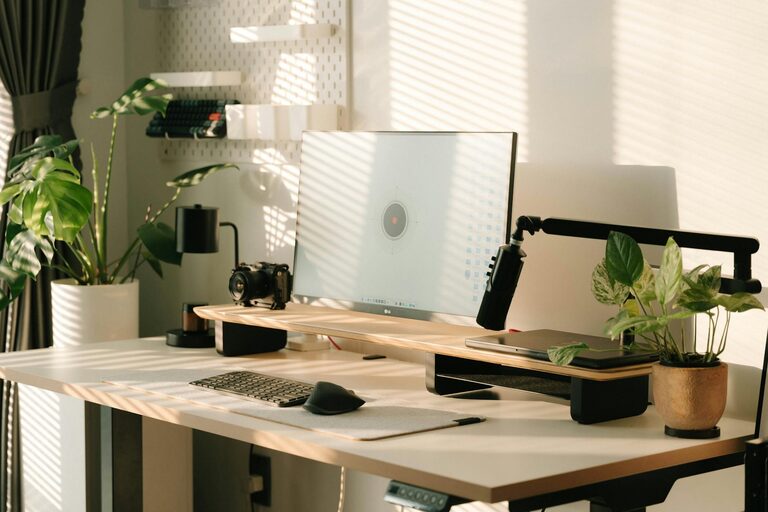
Creating a cozy and productive home office space can make a significant difference in how you work and feel throughout the day. Whether you work remotely full-time or occasionally need a quiet place for focused tasks, setting up the right environment is key. In this post, we’ll share practical tips to help you design a home office that is both inviting and efficient.
Why a Cozy Home Office Matters
Working from home comes with its perks, but it also presents challenges, such as distractions and a lack of clear boundaries between work and personal life. A cozy office space can promote comfort and reduce stress, while a productive setup encourages focus and efficiency. Combining both aspects creates a balanced atmosphere that supports your well-being and work goals.
Choose the Right Location
Find a Quiet Corner
The first step is selecting the best spot in your home. Look for a quiet corner or a room with minimal foot traffic and noise. Natural light is a bonus, so try to pick a spot near a window if possible.
Consider Privacy Needs
If you share your home with others, think about a space that offers some separation. A designated room or an area that can be closed off helps to signal when you’re working and reduces interruptions.
Focus on Comfortable Furniture
Select an Ergonomic Chair
Investing in a comfortable, ergonomic chair supports good posture and prevents back pain, which is essential for long work hours.
Choose a Desk that Fits Your Needs
Your desk should have enough surface area for your computer, notes, and other essentials. If space is limited, a wall-mounted or foldable desk might be a good alternative.
Organize with Purpose
Use Storage Solutions
Clutter can quickly distract you. Use shelves, drawers, or baskets to keep supplies organized and out of sight but within reach.
Keep Cables Neat
A clean desk includes tidy cables. Use cable clips or ties to prevent tangling and maintain a streamlined look.
Enhance Lighting
Maximize Natural Light
Natural light boosts mood and alertness. Position your desk near a window but adjust blinds or curtains to reduce glare on screens.
Add Task Lighting
Include a desk lamp or adjustable light source to brighten your workspace during darker hours without straining your eyes.
Personalize Your Space
Add Plants
Greenery can improve air quality and add a calming touch to your office. Choose low-maintenance plants like succulents or snake plants if you’re new to indoor gardening.
Decorate Tastefully
Incorporate items that inspire you, such as artwork, photos, or motivational quotes. However, avoid overcrowding the area to keep it restful.
Manage Noise Levels
Use Noise-Cancelling Headphones
If your environment is noisy, headphones can help you stay focused and reduce distractions.
Consider Soft Furnishings
Rugs, curtains, and cushions absorb sound and create a warmer atmosphere.
Maintain a Healthy Routine
Take Breaks
Schedule short breaks to stretch, move around, or refresh your mind. This practice improves productivity and prevents burnout.
Keep Hydrated and Nourished
Keep a water bottle nearby and choose healthy snacks to stay energized throughout your workday.
Stay Connected
Use Technology Wisely
Ensure you have reliable internet and communication tools to stay connected with colleagues or clients.
Set Boundaries
Let others know your working hours to minimize interruptions and maintain work-life balance.
Conclusion
Creating a cozy and productive home office space doesn’t have to be complicated. By choosing the right location, investing in comfortable furniture, organizing thoughtfully, and adding personal touches, you can design an environment that supports both comfort and efficiency. Remember, a well-planned workspace contributes greatly to your overall productivity and well-being while working from home.