

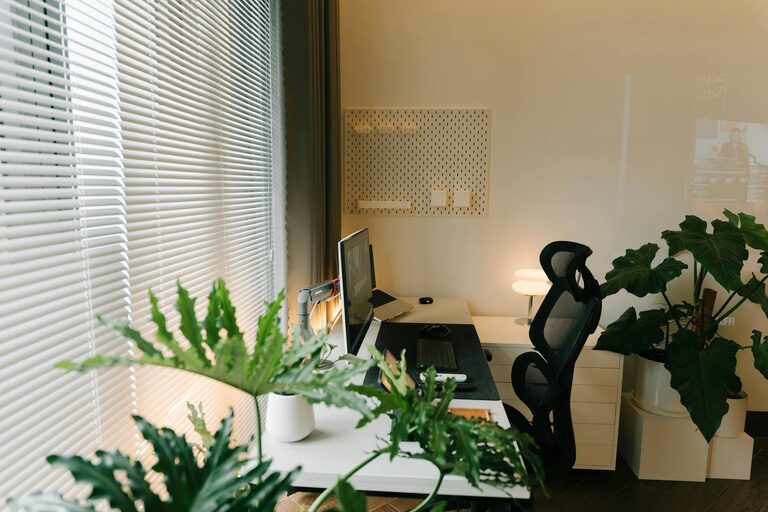
Creating a relaxing home workspace is essential for maintaining productivity, especially as more people work remotely. When your work area feels comfortable and stress-free, it’s easier to concentrate and stay motivated throughout the day. This guide offers practical tips to help you design a home office that supports both relaxation and efficiency.
Why a Relaxing Workspace Matters
A cluttered or chaotic environment can increase stress and reduce focus. On the other hand, a calm and inviting workspace promotes clarity and creativity. Creating a relaxing workspace isn’t just about aesthetics; it’s about setting the stage for your best work.
Choose the Right Location
Consider Natural Light
Where possible, select a spot in your home with plenty of natural light. Sunlight helps improve mood and energy levels, making it easier to stay alert. If natural light is limited, choose warm, adjustable lighting options that reduce eye strain.
Minimize Distractions
Pick a quiet corner or room away from high-traffic areas. This minimizes interruptions from family members, pets, or household noise, helping you maintain focus for longer periods.
Keep Your Space Organized
Declutter Regularly
A tidy desk reduces stress and makes it easier to find what you need. Take a few minutes each day to put away papers, supplies, and gadgets.
Use Storage Solutions
Invest in drawers, shelves, or bins to keep your materials organized but out of sight. This keeps your workspace clean without sacrificing accessibility.
Select Comfortable and Supportive Furniture
Ergonomic Chair
A supportive chair is key to staying comfortable during long work hours. Choose one that supports your spine and allows your feet to rest flat on the floor.
Suitable Desk Height
Your desk should be at a height where your arms rest comfortably at a 90-degree angle. This helps prevent strain on your wrists and shoulders.
Add Calming Elements
Incorporate Plants
Greenery can improve air quality and add a soothing touch to your workspace. Easy-to-care-for plants like succulents or pothos are great choices.
Use Relaxing Colors
Soft, neutral tones such as light blues, greens, or beige can create a peaceful atmosphere. Avoid overly bright or distracting colors.
Personal Touches
Include a few personal items like photos, artwork, or meaningful objects. These can make your workspace feel more inviting and inspire positive feelings.
Manage Technology
Position Screens Correctly
Place your computer screen at eye level to reduce neck strain. Use a laptop stand if necessary.
Limit Digital Clutter
Close unused tabs and apps to reduce distractions. Consider using productivity tools that block distracting websites during work hours.
Create a Routine
Morning Ritual
Start your day by organizing your workspace and setting intentions. A consistent routine signals your brain it’s time to focus.
Breaks and Movement
Take short breaks to stretch, walk, or practice deep breathing. Movement helps reduce tension and refresh your mind.
Optimize Air Quality and Temperature
Good air quality and comfortable temperature contribute to your overall well-being and focus. Open windows when possible or use an air purifier. Aim to keep the room around 68–72°F (20–22°C), which is ideal for concentration.
Use Sound to Your Advantage
Background Music
Soft instrumental music or nature sounds can help mask distracting noise and improve concentration.
Noise-Canceling Headphones
If your environment is noisy, these headphones can help you stay focused and create a personal bubble of calm.
Final Thoughts
Designing a relaxing home workspace is a thoughtful process that balances comfort and functionality. By applying these tips, you’ll create an environment that not only looks inviting but also supports your productivity and well-being. Remember, your workspace should reflect your unique needs and preferences, so don’t hesitate to adapt these ideas to suit your lifestyle.
Creating a calm and organized workspace is a great investment in your daily work routine. When your environment feels right, your mind can do its best work.