

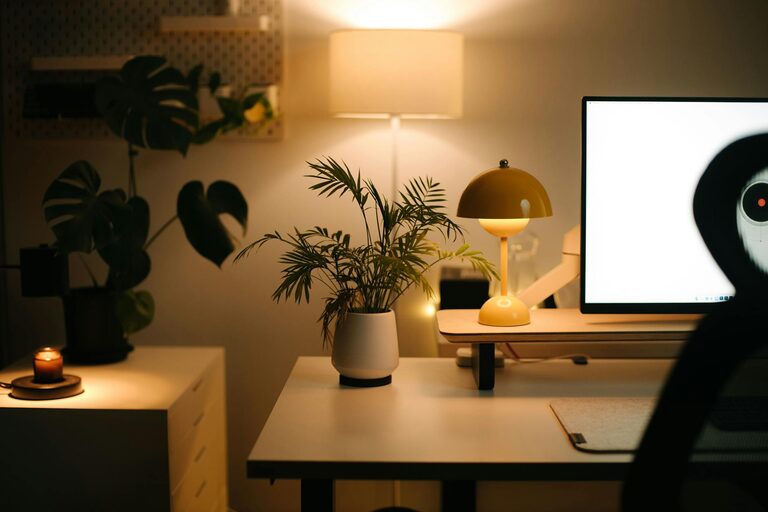
Creating a cozy and inviting home workspace is essential for anyone who spends a significant amount of time working from home. A well-designed workspace not only improves productivity but also enhances your mood and comfort throughout the day. Whether you have a dedicated room or a small corner, these tips will help you transform your home office into a welcoming and efficient environment.
Why a Cozy Workspace Matters
When your workspace feels comfortable and personalized, you are more likely to stay focused and motivated. A cluttered or uninspiring area can lead to distractions, fatigue, and even stress. On the other hand, a cozy space invites you to settle in, encouraging creativity and concentration.
Choose the Right Location
Start by selecting a spot in your home that suits your working style. Ideally, this space should be quiet, well-lit, and away from high-traffic areas. Natural light is a big plus—position your desk near a window if possible. If your space is limited, consider creative solutions like a fold-away desk or a nook in your living room or bedroom.
Invest in Comfortable Furniture
Comfort is key when setting up your workspace. Here’s what to keep in mind:
– Ergonomic Chair: Choose a chair that supports your back and encourages good posture. Adjustable features can help you customize it to your needs.
– Desk Size: Select a desk that fits your equipment without feeling cramped. Ample workspace helps keep things organized.
– Footrest: A simple footrest can improve circulation and reduce strain during long working hours.
Personalize with Colors and Decor
Colors influence mood and productivity. Soft, warm tones like beige, light gray, or pastels create a calming atmosphere, while brighter colors like yellow or green can energize you. Add personal touches such as artwork, favorite photos, or plants to make the space truly yours.
Use Plants to Enhance the Space
Indoor plants not only improve air quality but also add life and color. They have been shown to reduce stress and increase creativity. Choose low-maintenance plants like succulents, pothos, or snake plants if you’re new to care.
Organize Smartly to Reduce Clutter
An inviting workspace is tidy and well-organized. Try these tips:
– Storage Solutions: Use shelves, drawers, or baskets to keep supplies out of sight but within reach.
– Cable Management: Use clips or cable organizers to avoid tangled wires.
– Declutter Regularly: Make it a habit to tidy your area at the end of the day.
Lighting Matters
Good lighting prevents eye strain and helps you stay alert.
– Natural Light: Use curtains or blinds to control glare while maximizing daylight.
– Task Lighting: A desk lamp with adjustable brightness is excellent for focused work.
– Ambient Lighting: Consider soft overhead lights or lamps that create a warm background glow.
Add Comfort with Textiles
Soft textiles can make your workspace feel cozy.
– Rugs: A small area rug adds warmth and defines your space.
– Cushions: Add cushions to your chair for extra comfort.
– Throws: A blanket nearby can be comforting during chilly days.
Keep Technology User-Friendly
Ensure your tech setup supports a smooth working experience.
– Monitor Height: Position your screen at eye level to reduce neck strain.
– Keyboard and Mouse: Ergonomic options can prevent discomfort.
– Headphones: Noise-canceling headphones can help in noisy environments.
Incorporate Break Areas
If space allows, include a spot for short breaks. A comfortable chair or a small couch nearby encourages you to step away from your desk. Taking breaks refreshes your mind and prevents burnout.
Final Thoughts
Creating a cozy and inviting home workspace takes some planning but is well worth the effort. By focusing on comfort, organization, and personal touches, you can design an environment that makes working from home enjoyable and productive. Remember that it’s your space—feel free to experiment until it feels just right.
With these tips in mind, you can turn any corner of your home into a workspace that welcomes you each day with warmth and efficiency.